List a Barbershop in Westlands on Cottlink
25 September 2026 · 4 min read · How-To Guides
Westlands clients often search for a nearby cut, not a vague “Nairobi barbershop” page. If your shop serves offices, malls, and estates around Westlands, a clear Cottlink listing helps them find you by neighbourhood. This guide shows how to list a barbershop in Westlands with the details people actually use to book.
What “listed properly” means for a Westlands barbershop
- Shop name matches what customers say when they book.
- Location points to Westlands (street, building, or landmark)—not only “Nairobi”.
- Services are specific: fade, beard trim, kids cut, wash, colour.
- One monitored phone or WhatsApp for peak hours.
- Hours cover weekday office traffic and Saturday rush if you take them.
- Photos show the real chair and shop front.
Step-by-step: create or claim your listing
- Check for an existing profile. Search Cottlink for your shop name before creating a new page. Duplicates confuse clients and search.
- Register or claim. Use business registration for a new listing, or claim your business if the directory already shows your barbershop.
- Set category to barbershop / men’s grooming (or the closest Cottlink category) so the right searches surface you.
- Write the Westlands location line with a landmark clients know (near Sarit, Mpaka Road, Ring Road, or your estate gate).
- List services and starting prices where you can—price-before-details builds trust.
- Add hours and a tested contact. Call your own number from another phone once.
- Upload clear photos of the shop and work (with client permission).
Neighbourhood keywords without stuffing
Use natural phrases clients type: barbershop Westlands, fade near Sarit, beard trim Westlands. Put the neighbourhood in the location fields and one natural sentence in the description—do not paste a keyword block.
Premium: optional visibility after the basics
Finish the free, accurate listing first. If you want extra Cottlink visibility for your Westlands barbershop, review Premium:
- Premium: $6 per month.
- Compare the live plan and pay with M-Pesa on Cottlink pricing—price is shown before plan details.
- Manage signup through business registration.
- Elite or Featured can be a soft second look later—this post is not a package comparison matrix.
Weekly habits that keep the listing useful
- Reply to directory messages the same day when you can.
- Update hours for holidays and late openings.
- Replace outdated photos when the shop changes.
- Remove old promo text that no longer applies.
Common mistakes to avoid
- Leaving city as Nairobi with no Westlands detail.
- Creating a second listing instead of claiming the first.
- Putting only a personal nickname with no shop identity.
- Pushing paid upgrades before services and contact work.
Get the free basics right, then decide if Premium fits your budget. A complete list barbershop Westlands profile gives nearby clients a clean path to message you.
Write a description clients actually read
Keep your description short, friendly and specific. In two or three sentences, say who you serve, what you are best at and what makes the shop easy to visit. For example, mention if you are walking distance from a mall or office block, open early for commuters, take walk-ins, or have a barber who specialises in children's cuts or beard styling. Avoid long lists of adjectives; specific details are more convincing than words like "best" or "number one".
Photos that bring clients in
Photos are often the first thing people look at. Good barbershop photos include:
- The shop front, so first-time clients recognise it from the street or the mall corridor.
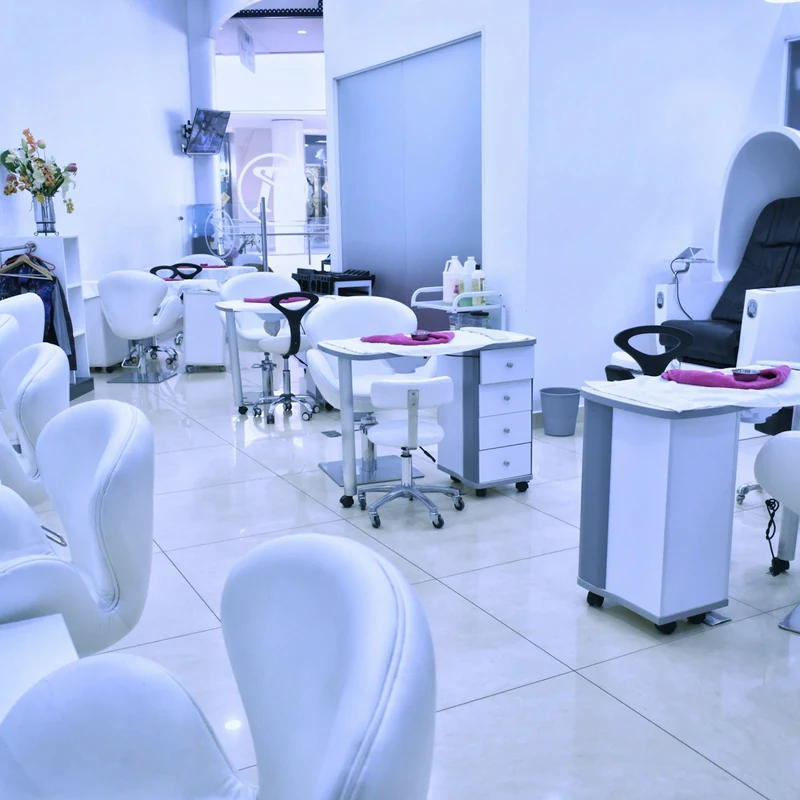
- The inside of the shop, clean and tidy, showing the chairs and work stations.
- A few clear examples of your cuts, fades and beard work, taken in good light and with the client's permission.
- Your team, if barbers are comfortable being shown.
Replace photos when you renovate or change your look, so the listing always matches what clients will see when they arrive.
Hygiene and comfort signals
Clients care about hygiene, especially for shaves and close fades. If you sterilise tools between clients, use fresh neck strips and towels, or change blades for each shave, say so plainly. These are details that help a new client choose your shop over one that says nothing.
Handle peak hours well
Westlands barbershops are often busiest at lunchtime, after office hours and on Saturdays. Say in your listing whether clients can book a slot or should walk in, and how they can check the queue before they come. A quick WhatsApp reply such as "two clients ahead, about 30 minutes" can win a booking that would otherwise go elsewhere.
Turn first visits into regulars
A listing brings new clients in; good service brings them back. Remember regular clients' preferred cuts, suggest when they should come back for a trim, and ask satisfied clients to recommend you to friends and colleagues. Keep prices consistent with what your listing says, and update the listing promptly when prices change.
Related guides
See how clients compare shops in the Kilimani barbershop checklist, and if you also offer grooming or wellness add-ons, read the Westlands mobile massage guide to see how neighbouring service providers present themselves.
Finally, check your own listing the way a new client would: search for barbershops in Westlands on your phone, open your profile, and see whether it answers the basic questions quickly.
If anything is unclear or out of date, fix it straight away. A few minutes of upkeep each month keeps the listing working for your shop.